In Whiteout Survival, gift codes provide players with valuable rewards such as resources, upgrades, and special items. These codes can enhance your gameplay experience and help you progress more efficiently. However, sometimes players may encounter issues with redeeming these codes. In this guide, we’ll show you how to redeem your Whiteout Survival gift codes and troubleshoot why some codes may not be working.
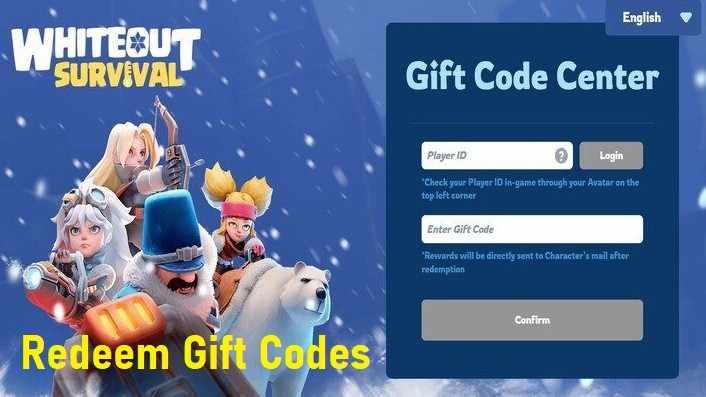
Redeeming gift codes in the Survival game is a straightforward process. Here’s how to do it:
Launch the Game
Open Whiteout Survival on your device and log into your account.
Access the Settings Menu
Tap the gear icon in the top-right corner of the main screen to open the settings.
Locate the Gift Code Section
In the settings menu, look for the "Gift Code" or "Promo Code" section. Tap on it to open the code entry window.
Enter the Code
Carefully enter the gift code you received. Make sure there are no typos, as codes are case-sensitive.
Claim Your Rewards
Once the code is entered correctly, tap the "Redeem" button to claim your rewards. The items should be credited to your account instantly.
Also Read: Steps to reach maximum level in the survival game
If you’re having trouble redeeming your gift code of Whiteout Survival, here are some common reasons and solutions:
1. Expired Codes
Gift codes often have expiration dates. If the code has expired, it will no longer work. Always check the validity period before attempting to redeem a code.
2. Incorrect Code
Codes are case-sensitive, so even a small mistake can cause the redemption to fail. Double-check the code for any typos or missing characters.
3. Region Restrictions
Some codes may only be valid in specific regions. If you’re unable to redeem a code, ensure it’s applicable to your region.
4. Code Already Used
Gift codes can typically be redeemed only once. If you’ve used the code previously, it will not work again.
5. Server Issues
Sometimes, server problems can prevent the code from being processed correctly. If this happens, wait for a few minutes and try again.
Must Read: Best hacks for Whiteout Survival game
1. How can I get new gift codes?
New gift codes for Whiteout Survival are often released during special events, updates, or promotions. Keep an eye on official Whiteout Survival social media channels, newsletters, or the game’s website for the latest codes.
2. Can I use the same code multiple times?
No, gift codes can generally be used only once per account. Once you’ve redeemed a code, it cannot be reused.
3. My code is valid, but I didn’t receive any rewards. What should I do?
If the code is valid but you didn’t receive the rewards, try the following:
Restart the game and check your inventory again.
Make sure the rewards are for items, not resources, which may automatically be added to your account.
If the issue persists, contact customer support with the code and details for assistance.
4. Can I redeem codes on both Android and iOS?
Yes, gift codes can be redeemed on both Android and iOS devices as long as you are logged into the same account on either platform.
5. Is there a limit to how many codes I can redeem?
While there’s no general limit to how many gift codes you can redeem, each code can only be used once. You can redeem multiple different codes as long as they are valid.
6. How often do new codes get released in Whiteout Survival?
New codes are often released during special events, holiday seasons, or major updates. Be sure to follow the game’s social media accounts or official channels for announcements on new codes.
Conclusion
Gift codes in Whiteout Survival are a great way to boost your progress and enjoy extra rewards. By following the steps to redeem your code correctly and addressing common issues, you can take full advantage of these promotions. Keep an eye out for new codes through official game channels to stay ahead in your survival journey!